
Hardware MIDI controllers solved an obvious problem in computer-based music production. A mouse can reach almost every setting in a plugin, but it rarely makes software feel like an instrument. Knobs, faders, keys and pads bring movement back into the hands. They offer resistance, position and physical boundaries, and with repeated use they become familiar enough to operate without much thought.
That familiarity is one of hardware’s greatest strengths. A filter knob stays where you expect it to be. A fader has a real distance between its lowest and highest position. A pedal can shape expression while both hands remain occupied. Once a layout has become part of your muscle memory, it is fast, dependable and difficult to replace with anything on a flat screen.
TouchMod starts from a different idea. Instead of trying to create one physical controller that works for every plugin, it creates a control surface that can change with the instrument, effect, preset or project. The question is no longer how to fit a plugin onto a fixed set of controls, but which parts of the sound should be brought together and played as one gesture.
The two approaches overlap, but they do not solve exactly the same problem.
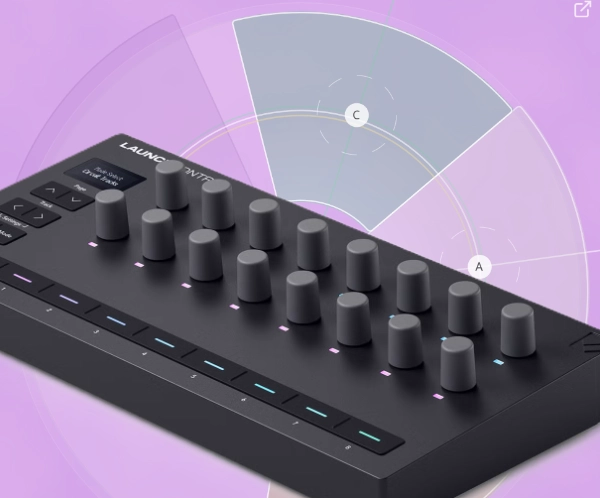
Hardware works because it stays the same
The value of a hardware controller is not just that it has knobs. It is that those knobs remain in the same place. A stable layout encourages repetition, and repetition gradually removes the need to look. This matters during live performance, but it is just as useful in the studio. Transport controls, mixer levels, expression pedals and frequently used synthesizer functions all benefit from having a permanent physical location.
Hardware also provides information through touch. You can feel the center position of a control, the resistance of a fader or the moment a knob reaches its limit. Motorized faders can show the current value physically when a project changes. Keyboards and drum pads add velocity, pressure and timing in ways that are inseparable from the playing technique itself.
MIDI helped make these controllers useful across different systems. A device does not need to understand the complete internal structure of every instrument it controls. It can send notes, pitch bend, pressure or controller messages, while another part of the system decides what those messages should do.
Modern hardware often goes well beyond simple MIDI CC transmission. Displays can show parameter names, remote scripts can follow the selected track, and proprietary integrations can assign controls automatically. Some systems communicate with a DAW or plugin through deeper host integration and provide a much more informed workflow than a row of anonymous knobs.
Even then, the physical shape remains fixed. A controller may change what its controls represent, but it cannot move the knobs closer together, turn two faders into an XY surface or give one section more room because a particular sound needs greater precision there. Its consistency is both its advantage and its limitation.
Plugins no longer share one obvious layout
Early software instruments often resembled hardware synthesizers. Oscillators, filters, envelopes and effects appeared in familiar places, and a controller with eight or sixteen knobs could provide useful access to the expected functions.
Current plugins are far less uniform. One instrument may combine wavetable, granular and sample-based synthesis. Another may be built around spectral processing, sequencers, modulation systems or large collections of macros. Effects can contain routing, dynamics, saturation, filtering and modulation within a single interface.
The parameters that define a sound therefore change from one plugin to the next. Grain position and density may be central to one instrument, while filter movement and wavetable position matter more in another. A reverb may come alive when size, damping, decay and modulation move together. A delay may depend less on its time setting than on the relationship between feedback, filtering and Wet/Dry balance.
A fixed controller can operate all of these plugins, but it has to represent each one through the same physical layout. Banks and pages help, and displays can make assignments easier to follow, but the controller still begins with its own geometry. The software has to fit the hardware.
TouchMod reverses that relationship. The surface begins with the plugin and the sound.
From MIDI assignments to plugin parameters
Many conventional hardware controllers send MIDI messages. A knob may transmit a MIDI CC value, but that message does not inherently mean filter cutoff, feedback or reverb size. A plugin, DAW, remote script or mapping layer has to connect the incoming controller number to the intended destination.
This is not necessarily inconvenient. MIDI Learn can make a mapping in seconds, and a well-designed template can remain useful for years. For a plugin used every day, the time spent building a familiar layout may be well rewarded.
The work becomes more noticeable when many plugins are involved or when the most important parameters change from one preset to another. Automatic mapping can reduce the setup, but it cannot always know which controls matter musically. The first eight parameters in a plugin’s list are not necessarily the eight parameters that define the sound.
TouchMod works with the parameters that a VST3 plugin exposes to its host. These parameters have identifiers and can also include names, units, default values, step counts and automation information. TouchMod can assign them through Learn or let the user choose them directly from the available list.
Essession uses the term Direct Plugin Parameter Control, or DPPC, for this approach. DPPC is not a new protocol and not an official VST3 term. It is a descriptive name for an existing host-to-plugin control model in which controller software works directly with the parameter interface provided by the plugin format.
That does not mean TouchMod can reach every internal value inside a plugin. Developers decide which parameters are made available to the host. Some may be read-only, hidden, stepped or completely private. TouchMod works with the writable parameters exposed through VST3. It does not bypass the plugin architecture.
The practical difference is simple. Instead of beginning with a controller number and asking what it should control, you begin with the sound and ask which parameters should be playable together.
Building a surface around the sound
A hardware template is usually designed in advance. The controller has a certain number of knobs, faders and buttons, so the available functions are divided across them. Once the layout is stable, it can become fast and intuitive.
TouchMod allows the surface to develop while the plugin is being explored. You can move a control in the plugin, listen to its effect and assign it only when it proves useful. The parameter range can be narrowed to the part that matters, and the direction can be reversed when that makes the gesture feel more natural.
The result does not have to represent the entire plugin. It can represent one preset, one section of a track or one performance idea. A complex synthesizer may expose hundreds of parameters, but a particular sound may only need six of them to become expressive.
This also changes the way parameters are grouped. On a conventional controller, two functions may sit next to each other because two knobs were available. On a touch surface, they can be paired because their relationship is musically useful. Filter cutoff and resonance can share one finger. Delay feedback and filtering can share another. The layout follows the movement you want to make, rather than the front panel of the original plugin.
What multitouch changes
Hardware is fully capable of controlling several parameters at once. Two hands can move multiple faders or knobs, and pedals, aftertouch and expression controls can add more simultaneous input. Large control surfaces are designed for exactly this kind of work.
TouchMod offers a more concentrated form of simultaneous control. Each finger position controls one parameter on the X axis and another on the Y axis. With up to four fingers, one hand can move as many as eight assigned parameters on the same surface.
The interesting part is not the number eight. It is the relationship between the movements. A diagonal gesture can open a filter while reducing resonance. A second finger can increase delay feedback while darkening the repeats. Another movement can shift between two instruments or two effect paths.
Because these changes share one surface, they can feel like parts of the same action rather than a collection of separate adjustments. Direction, speed and distance become part of the performance. The performer is no longer thinking only in terms of individual controls, but in the shape of the gesture itself.
TouchMod IN can load two VST3 instruments within one instance. TouchMod FX can load two effects and route them in series or parallel. Parameters from both loaded plugins can be placed on the same pad, which makes it possible to shape layers or effect combinations without dividing them across unrelated pages or controller banks.
Touchscreens give context, hardware gives feedback
A touchscreen cannot reproduce the physical information of a real knob or fader. There are no raised edges, center detents or mechanical limits. When the layout changes, the player usually needs to look at the surface to confirm finger position and sector boundaries.
That is a real disadvantage in situations where visual attention is already occupied. A performer may need to watch the keyboard, the audience, the conductor or another musician. For controls that must be found and moved without looking, hardware remains the stronger option.
TouchMod provides another kind of information. Parameter names, assignments, colors and sector positions remain visible and can change with the selected plugin or instance. Instead of remembering what an unlabeled knob controls on the current bank, the player can see the active relationship directly on the surface.
Hardware builds familiarity through touch. TouchMod provides context through the screen. One reduces the need to look by staying the same. The other makes looking useful by showing what has changed.
Resolution without exaggerated claims
Traditional MIDI 1.0 CC messages usually use 7-bit values, which provide 128 possible positions. MIDI 1.0 also supports higher-resolution techniques, and MIDI 2.0 can provide much finer controller data. The actual resolution of a hardware workflow therefore depends on the controller, protocol, mapping method and receiving software.
VST3 parameters are transferred as normalized floating-point values. Direct parameter access avoids reducing a continuous parameter to a typical 7-bit MIDI CC value before it reaches the plugin. This can make subtle filter movement, spectral processing, granular parameters and dynamics feel smoother.
It does not guarantee unlimited audible precision. A plugin may expose stepped parameters, round values internally or apply its own smoothing. Deeply integrated hardware can also use higher-resolution methods. The advantage is narrower and more credible: TouchMod works with the parameter representation supplied by the plugin instead of requiring a conventional MIDI CC mapping between its surface and the loaded VST3 plugin.
Movement can continue after the gesture
A gesture does not have to end when the finger leaves the screen. TouchMod can record repeated movements with Loop Learning and play them back as ongoing parameter changes. Their speed and amplitude remain adjustable while they run, and a second movement can be added in suitable sectors to create a layered trajectory.
This is different from drawing automation directly on a timeline. A drawn curve begins as a planned shape. A performed movement begins with listening and physical response. Timing, hesitation and emphasis appear while the sound is being shaped.
The DAW can still record that result as automation. Loop Learning does not compete with automation. It provides another source of movement, one that can be performed, adjusted and then captured as part of the project.
Connection and reliability still matter
A hardware controller connected by USB or MIDI is generally predictable. It does not depend on a wireless network, screen calibration or graphics performance. That reliability is one reason physical controllers remain common in live setups.
TouchMod can use a Windows multitouch display connected directly to the computer. The pad can be detached from the main plugin window and placed on that display, avoiding a wireless connection altogether.
TouchMod Remote uses an iPad over the local network. This makes good use of hardware many musicians already own and allows the pad to be placed wherever it is comfortable. The experience does depend on the quality of the network. A congested, weak or isolated network can affect connectivity.
The practical choice is therefore not only about interaction. It is also about the studio or stage environment. A fixed workstation may benefit from a dedicated Windows multitouch display. An iPad offers portability and convenience. A wired hardware controller remains the safer choice for functions that must respond in exactly the same way every time.
One studio, several kinds of control
Most studios already use more than one interface. A keyboard handles notes. Pads trigger rhythms. Faders set levels. A mouse deals with detailed editing. An expression pedal controls movement that needs both hands elsewhere.
TouchMod fits naturally into that division of labor. It is useful for the parts of a plugin that change with the sound, for parameters that need to move together and for gestures that are difficult to distribute across separate knobs.
A hardware encoder may still be the right place for a control that should remain familiar in every project. A bank of motorized faders is better suited to mixing than a compact touch surface. A keyboard provides a kind of physical performance that a screen cannot imitate.
At the same time, a fixed row of knobs cannot reorganize itself around every instrument or effect. It cannot turn four finger movements into eight linked parameter changes or rebuild its layout for a single preset without relying on banks, displays and remembered assignments.
In a practical setup, MIDI can connect the physical hardware, direct VST3 parameter access can connect TouchMod to the plugin, and automation can preserve the performance in the DAW. The tools do not need to compete. They only need to be used where their particular form of control makes sense.